 Droider
Reusable, documented
A .blueprint has named inputs (with optional defaults) and outputs. Comments become hover docs wherever it's used.
Droider turns VS Code into an editor that knows every DROID circuit. Errors show up as you type, not as blinking LEDs. Every parameter is documented under your cursor, and every cable has its own colour. And when you're ready, one click puts the patch on your card.
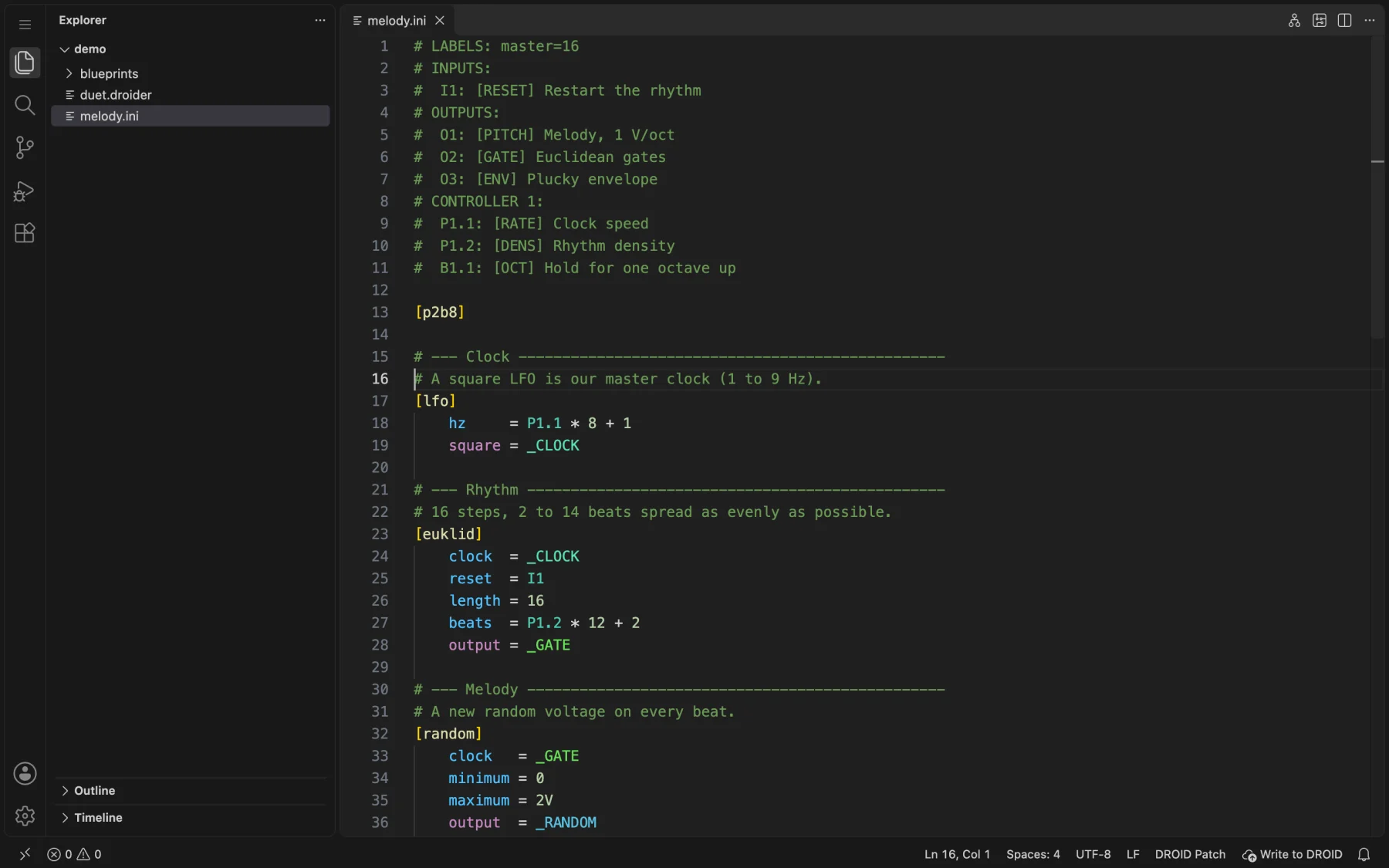
A DROID patch is a text file. Without tools, a typo only shows up once the patch is on the module. Droider catches it while you write.
Droider ships with the documentation of every DROID circuit, so it can check, complete and explain your patch as you write it.
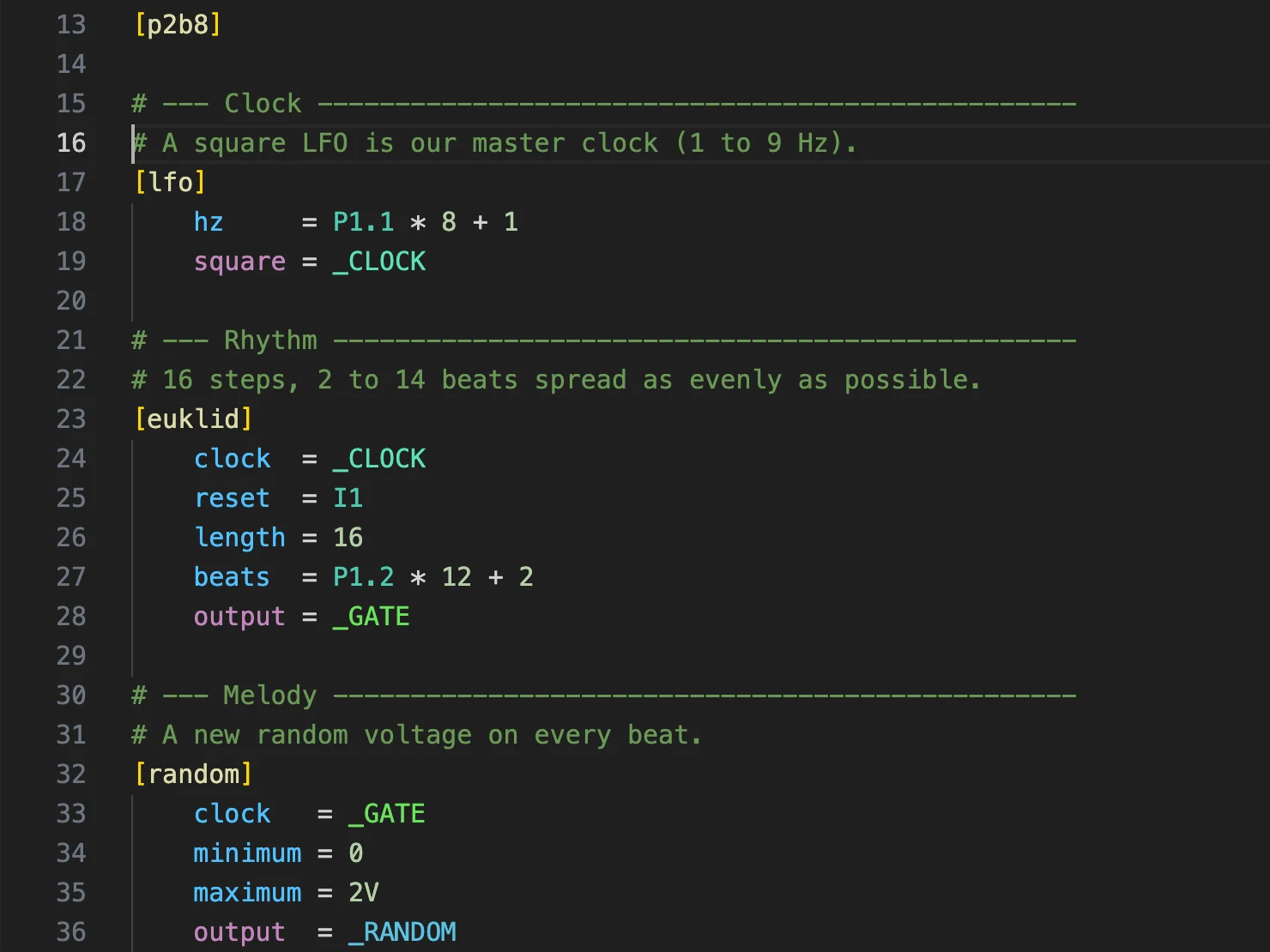
Inputs and outputs get different colours, so you can tell at a glance what feeds a circuit and what it sends out. Each internal cable gets its own colour too, so you can follow _CLOCK through the whole patch.
Type [ to pick from all the circuits. Inside one, you get its parameters with their type and abbreviation, without the ones you've already used. Type _ for the cables already in the patch.
] are added for you.P1.1 exists only if a controller does.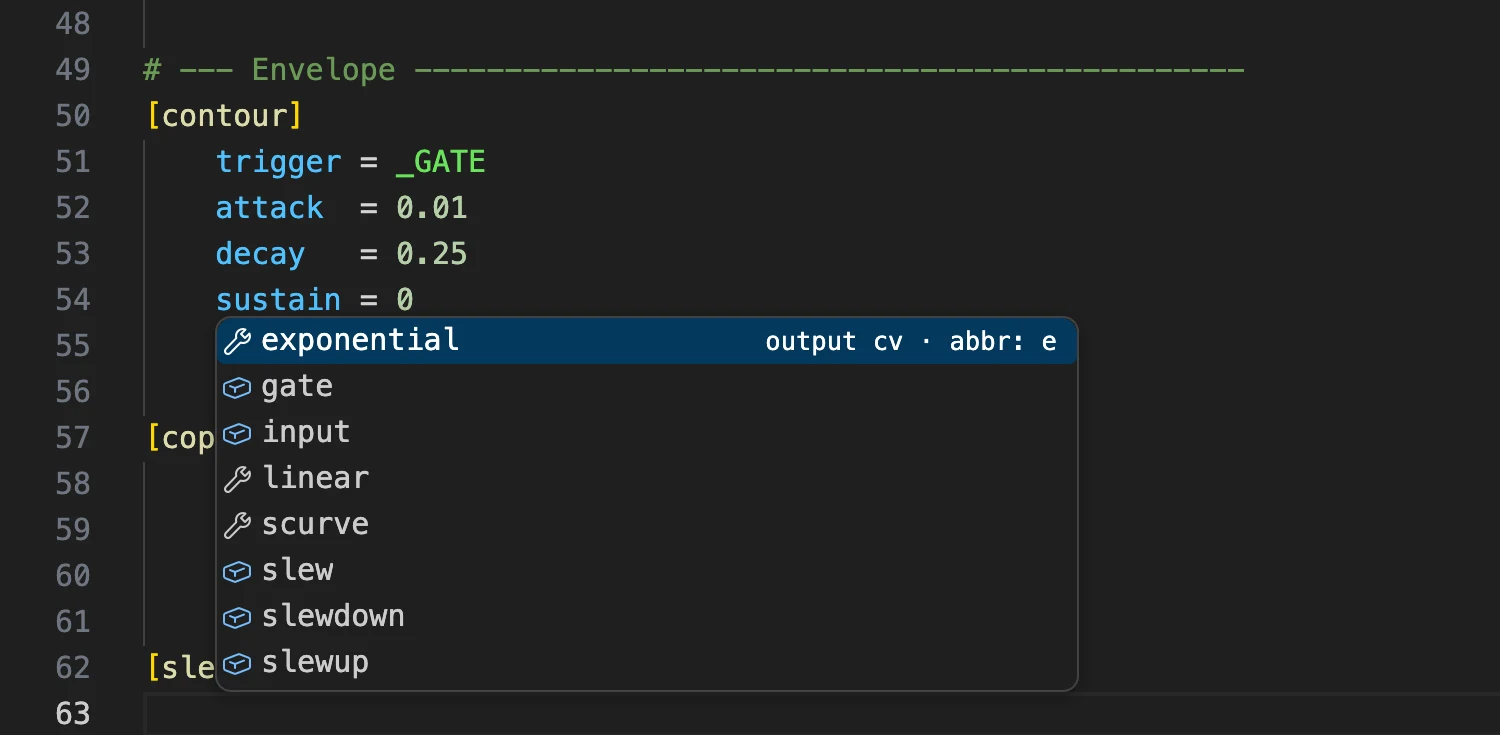
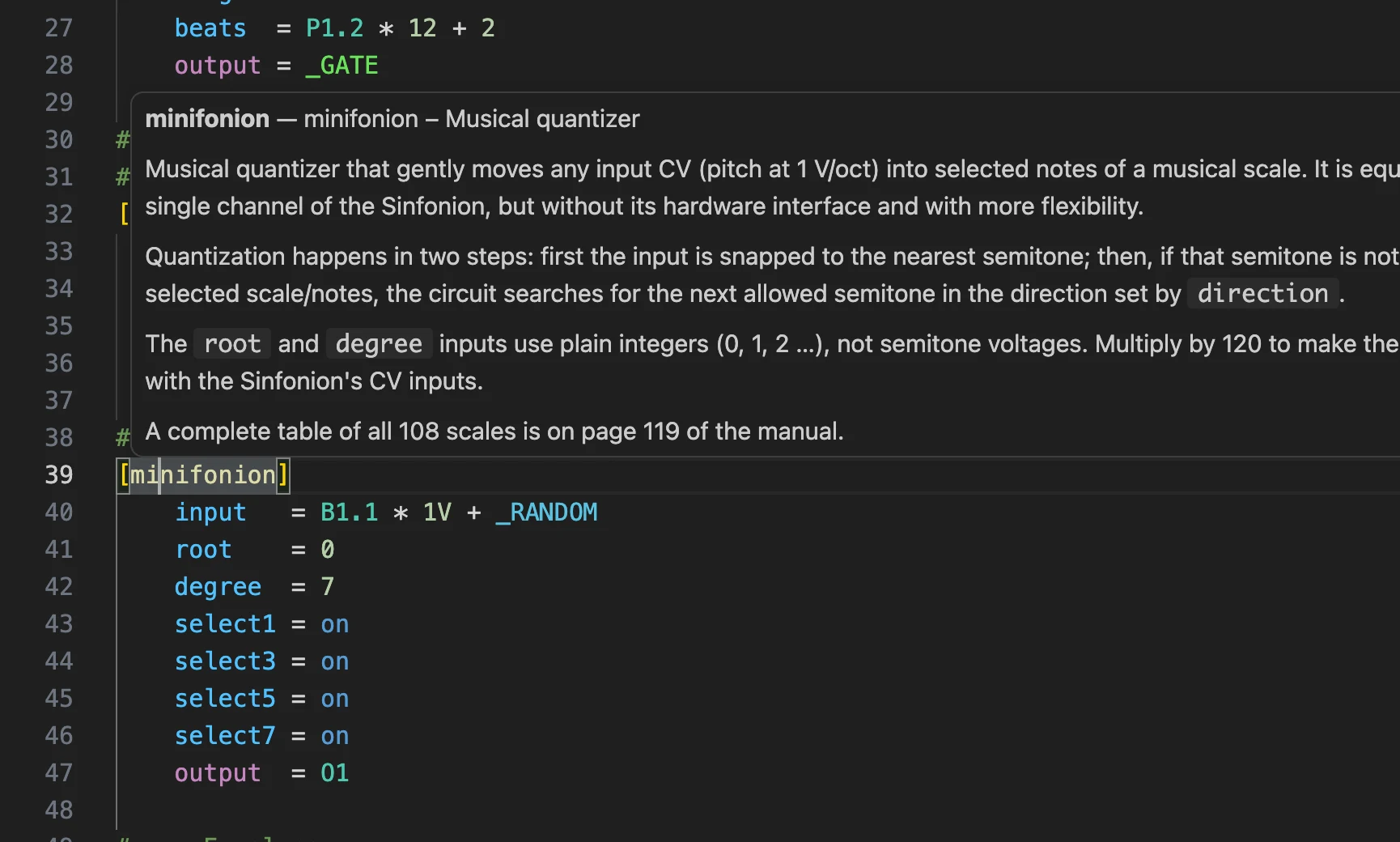
Hover any circuit, parameter or register to see what it does: its type, default value, range and description. The descriptions are adapted from the official DROID manual (used with permission).
Droider checks the same things the DROID master checks when it loads a patch, while you type:
O9A * B + C, and lines over 63 characters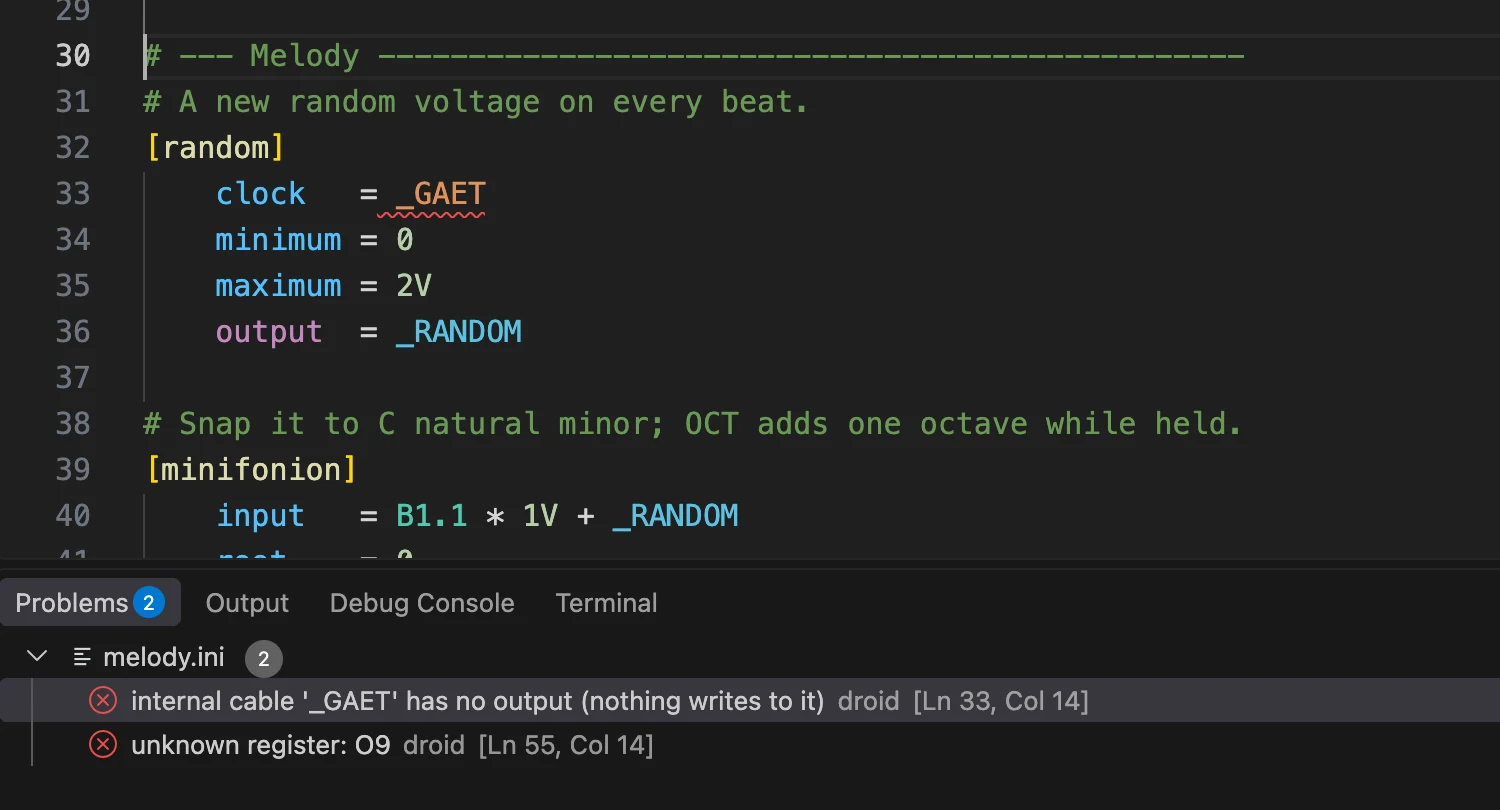
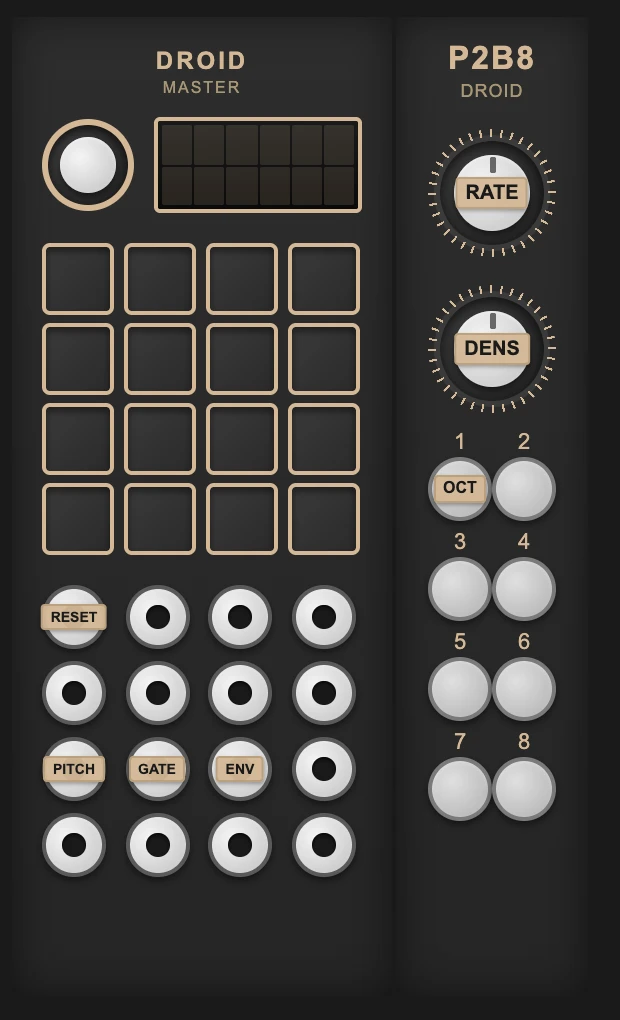
The hardware view draws your master, expanders and controllers, with the labels from your patch's Forge-style legend on every jack, pot and button. The legend itself is checked and autocompleted too.
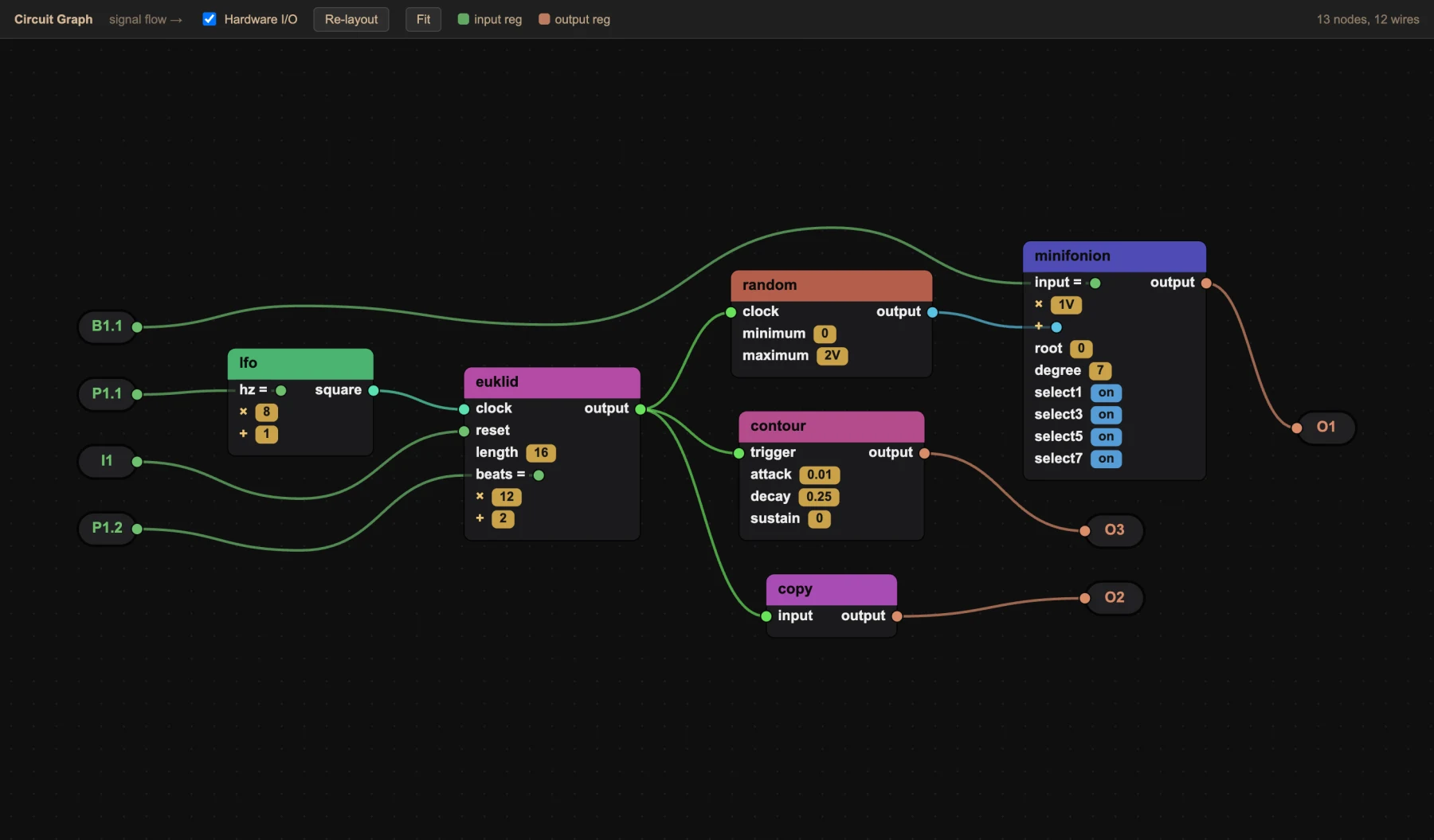
The circuit graph lays out circuits, cables and jacks from left to right, in signal-flow order. Attenuation and offsets are shown on each input, and clicking a node takes you to its line.
Insert the SD card and a Write to DROID button appears in the status bar. Droider saves the patch as droid.ini and reads it back to check it. Then it ejects the card safely, ready for the module's Load button.

.droider files are DROID patches with two extras: megacircuits (your own reusable circuits) and
free arithmetic on any input. Droider compiles them into a plain droid.ini
that runs on any DROID, and checks the result before it goes to the card.
# A megacircuit is your own reusable circuit.
# This file defines [randomnote]: a random note
# in C minor on every clock.

[input]
    # a new note on each clock
    clock
    # how far it can jump (1V = one octave)
    range = 2V

[output]
    # the note, 1 V/oct
    pitch

[random]
    clock   = clock
    maximum = range
    output  = _VOLTAGE

[minifonion]
    input   = _VOLTAGE
    degree  = 7       # natural minor
    select1 = on
    select3 = on
    select5 = on
    output  = pitch
# Use your megacircuit in any .droider
# patch, just like a built-in circuit.
[p2b8]

[lfo]
    hz     = 4
    square = _CLOCK

[euklid]
    clock  = _CLOCK
    length = 16
    beats  = 5
    output = _RHYTHM

# Two melodies from the same megacircuit
[randomnote]
    clock = _RHYTHM
    pitch = O1

[randomnote]
    clock = _CLOCK
    range = 1V
    pitch = O2

# Pot 1 morphs from one melody to the
# other: arithmetic plain DROID can't do
[copy]
    input  = (O1 - O2) * P1.1 + O2
    output = O3
A .blueprint has named inputs (with optional defaults) and outputs. Comments become hover docs wherever it's used.
Use +, -, * and parentheses on any input. Droider rewrites them into the fewest native copy circuits.
Private cables are renamed per instance, so two copies never collide. The output is a normal patch, checked before it's written.
Circuits, parameters, registers, cables and label-legend entries.
Every circuit's description, and each parameter's type, default and range.
The DROID master's own checks, while you type, with a Problems list.
Each internal cable gets its own colour, and inputs and outputs are coloured differently.
The # LABELS legend is validated and completed, and shown in the hardware view.
Master, G8 and X7 expanders and every controller type, drawn with your labels.
Signal-flow layout of circuits and cables, and click a node to jump to its line.
Reusable .blueprint sub-patches, nested as deep as you like.
Detects the SD card, writes, verifies and ejects on macOS, Windows and Linux.
Never used VS Code? No problem: the guide walks you through every step.
The free code editor from Microsoft, for Windows, macOS and Linux.
How to install it →Open the folder with your droid.ini, or write your first patch with the guide.
Yes. Droider is free and open source under the MIT license, with no account and no tracking. It works offline.
Yes. Open any droid.ini (or any .ini patch) and Droider checks and colours it straight away. Plain .ini files stay plain: the extra syntax only works in .droider files.
The MASTER and MASTER18, the G8 and X7 expanders and all controllers (P2B8, P4B2, P10, S10, P8S8, B32, M4, E4, DB8E). Circuit data follows the blue-7 firmware manual.
No, they work well together. Droider reads and writes the Forge's label legend, so you can switch between the two. Droider is for people who like to work with the patch as text.
Yes, once it's built. The DROID only reads plain .ini, so Droider compiles .droider files to a normal patch and checks that patch first. Writing to the card does this automatically.
Droider is published on the VS Code Marketplace. In editors that use other extension stores, download the .vsix from the GitHub releases and choose “Install from VSIX…”.
No. Droider is a community project, not affiliated with Der Mann mit der Maschine. Circuit documentation is adapted from the official DROID manual with the author's written permission.
Free for Windows, macOS and Linux. Search “Droider” in the VS Code Extensions view, or click below.